Why Color-Coding Your Tasks Can Improve Productivity
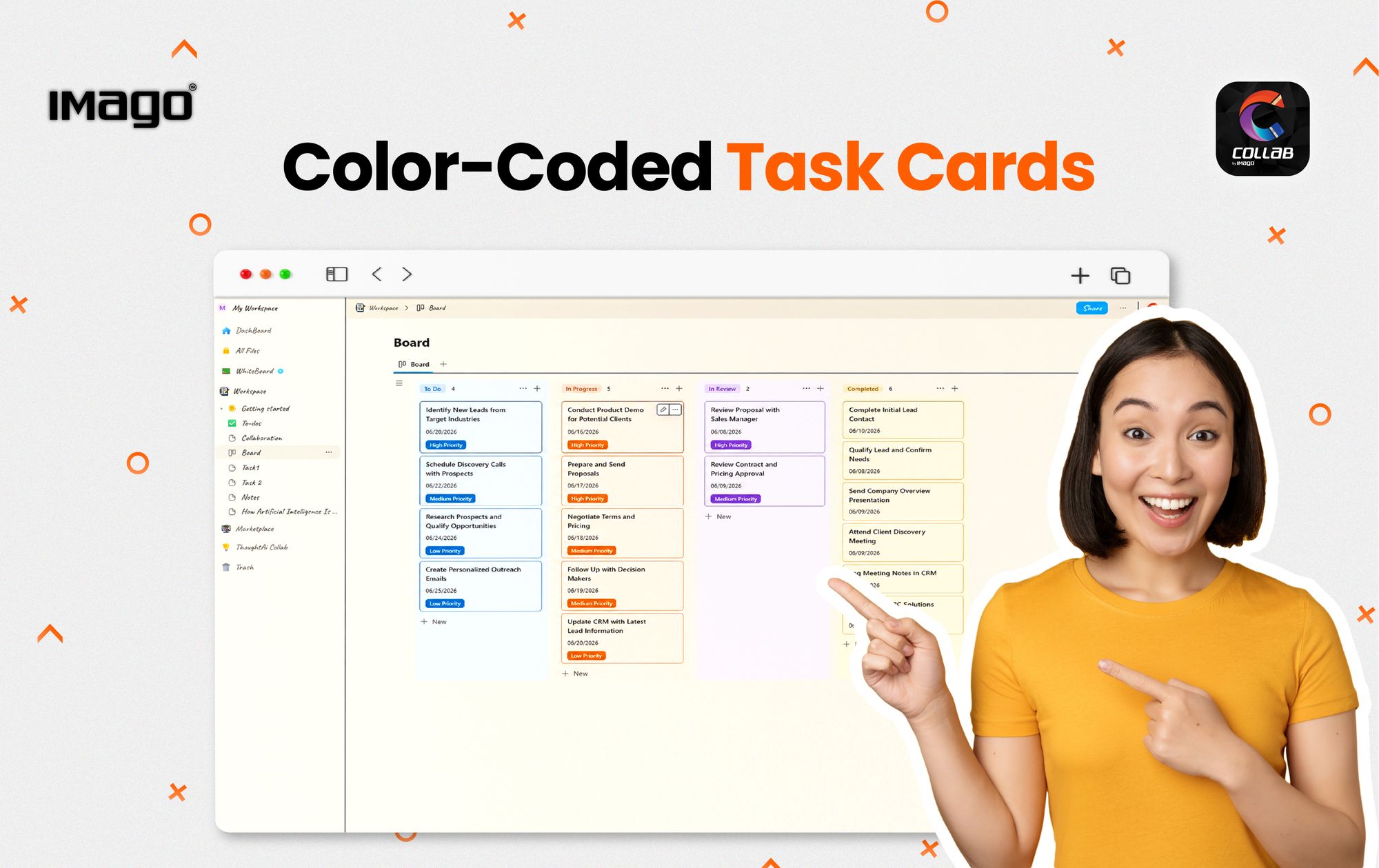
In today’s fast-paced digital work environments, our brains are constantly bombarded with data. Managing an ever-expanding checklist of deliverables, sudden deadlines, and complex cross-functional updates can quickly result in severe cognitive overload. When your task board is just a monotonous wall of black-and-white text, your mind has to work twice as hard just to parse, evaluate, and choose what to do next.
This is where visual organization steps in to save the day. Humans are inherently visual creatures. By leveraging a targeted color-coding system, you turn a flat, exhaustive text list into a high-efficiency visual dashboard.
In this ultimate guide, we will break down the neuroscientific benefits of visual task management, how it optimizes workflow prioritization, and how you can seamlessly implement a dynamic color system using the COLLAB board.
The Science of Visual Organization: Why Your Brain Craves Color
When you open a traditional spreadsheet or a standard monochrome checklist, your prefrontal cortex must read through every single line item, analyze the semantic meaning of the words, recall the project context, and manually weigh its urgency. This process rapidly drains your limited daily reserve of executive function, leading to decision fatigue long before lunch.
Color-coding bypasses this operational bottleneck by leveraging pre-attentive processing. This is an involuntary, subconscious glance-level processing that happens in our visual cortex before we even consciously focus our attention on an object.
For instance, when a task card flashes in vibrant red, your brain registers "critical priority" instantly, before you have even read the title of the task. By assigning distinct visual cues to your workflows, you completely minimize cognitive friction, allowing your brain to sort information instantly.
Why Does Color-Coding Improve Productivity?
1. Helps You Identify Priorities Faster
One of the biggest challenges in task management is knowing what to focus on first.
A long task list can make everything feel equally important, causing people to spend time on less critical activities while urgent tasks are delayed.
Color-coding creates a clear priority system. When important tasks are highlighted with specific colors, you can immediately recognize what requires immediate action.
For example:
A red task can represent a deadline approaching within the next few days, while a green task can show completed work. This simple visual difference helps you focus your energy where it matters most.
2. Reduces Mental Overload
Our brains naturally respond better to visual information. When information is organized visually, it becomes easier to understand, remember, and process.
Instead of constantly thinking:
“Which task should I complete next?”
A color-coded system provides visual guidance that reduces decision fatigue.
This allows you to spend less time organizing your work and more time completing meaningful tasks.
3. Improves Time Management
Effective time management is not only about working faster — it is about understanding where your time should go.
By categorizing tasks through colors, you can easily identify:
- Tasks that are urgent
- Tasks that are in progress
- Tasks that are waiting for action
- Tasks that have been completed
This helps you plan your day more effectively and prevents important responsibilities from being forgotten.
4. Makes Team Collaboration Easier
In a team environment, unclear task ownership and project updates can slow down progress.
Color-coded task management creates a shared visual language for everyone.
For example:
- A team member can quickly identify pending tasks
- Managers can track project progress
- Teams can recognize bottlenecks faster
- Everyone stays aligned on priorities
This is especially useful for businesses managing multiple projects or teams working remotely.
How Digital Task Boards Make Color-Coding More Effective
Traditional methods like sticky notes and physical planners can be useful, but they have limitations. They can be misplaced, difficult to update, and challenging to share with others.
Digital task boards bring color-coded organization into a collaborative environment.
With a digital board, users can:
- Update task status instantly
- Assign tasks to team members
- Organize projects visually
- Track progress in real time
- Collaborate from different locations
This transforms task management from a personal checklist into a connected workspace.
Organize Smarter with IMAGO Collab Board
The IMAGO Collab Board helps individuals and teams create a more visual and efficient workflow by allowing users to organize tasks through customizable digital boards.
With Collab Board, users can apply color coding to different task categories, making it easier to manage projects and monitor progress.
For example, teams can create a workflow like:
🔴 Red – Urgent Tasks
Tasks requiring immediate attention or approaching deadlines.
🟡 Yellow – In Progress
Tasks currently being worked on or requiring follow-up.
🔵 Blue – To-Do List
Upcoming tasks that need to be started.
🟢 Green – Completed
Finished tasks and achieved milestones.
This visual approach allows teams to quickly understand project status without needing lengthy updates or multiple meetings.
Whether used in classrooms, offices, or collaborative environments, IMAGO Collab Board provides a smarter way to organize ideas, manage tasks, and improve teamwork.
Transform the Way You Organize, Prioritize, and Collaborate
Effective productivity is not simply about managing more tasks — it is about creating a structured system that allows individuals and teams to focus on what matters most. By using visual organization techniques such as color-coding, tasks become easier to prioritize, progress becomes clearer, and collaboration becomes more efficient.
As modern workplaces and learning environments continue to evolve, digital solutions are becoming essential in creating more connected and productive workflows. Tools like IMAGO Collab Board empower users to visualize tasks, organize ideas, and collaborate seamlessly within a single digital workspace.