Love Digital Learning but Miss the Feel of Paper? Discover a Better Way With Dual-Mode Tablet Technology
Digital learning has transformed how students, educators, and professionals access information, process ideas, and collaborate. From digital textbooks and online classrooms to interactive learning applications and AI-powered tools, modern tablets have made learning more flexible and accessible than ever.
Yet, despite these advancements, one familiar experience remains difficult to replace: reading and writing on paper.
For many users, traditional paper offers a simple, familiar environment for reading, reviewing documents, and taking handwritten notes. While digital tablets provide convenience and versatility, spending extended periods navigating conventional digital displays may not always deliver the reading experience users prefer.
So, why should users have to choose between the familiarity of paper and the versatility of digital technology?
This is where dual-mode tablet technology introduces a different approach to digital learning, bringing two distinct display experiences together in a single device.
What Is Dual-Mode Tablet Technology?
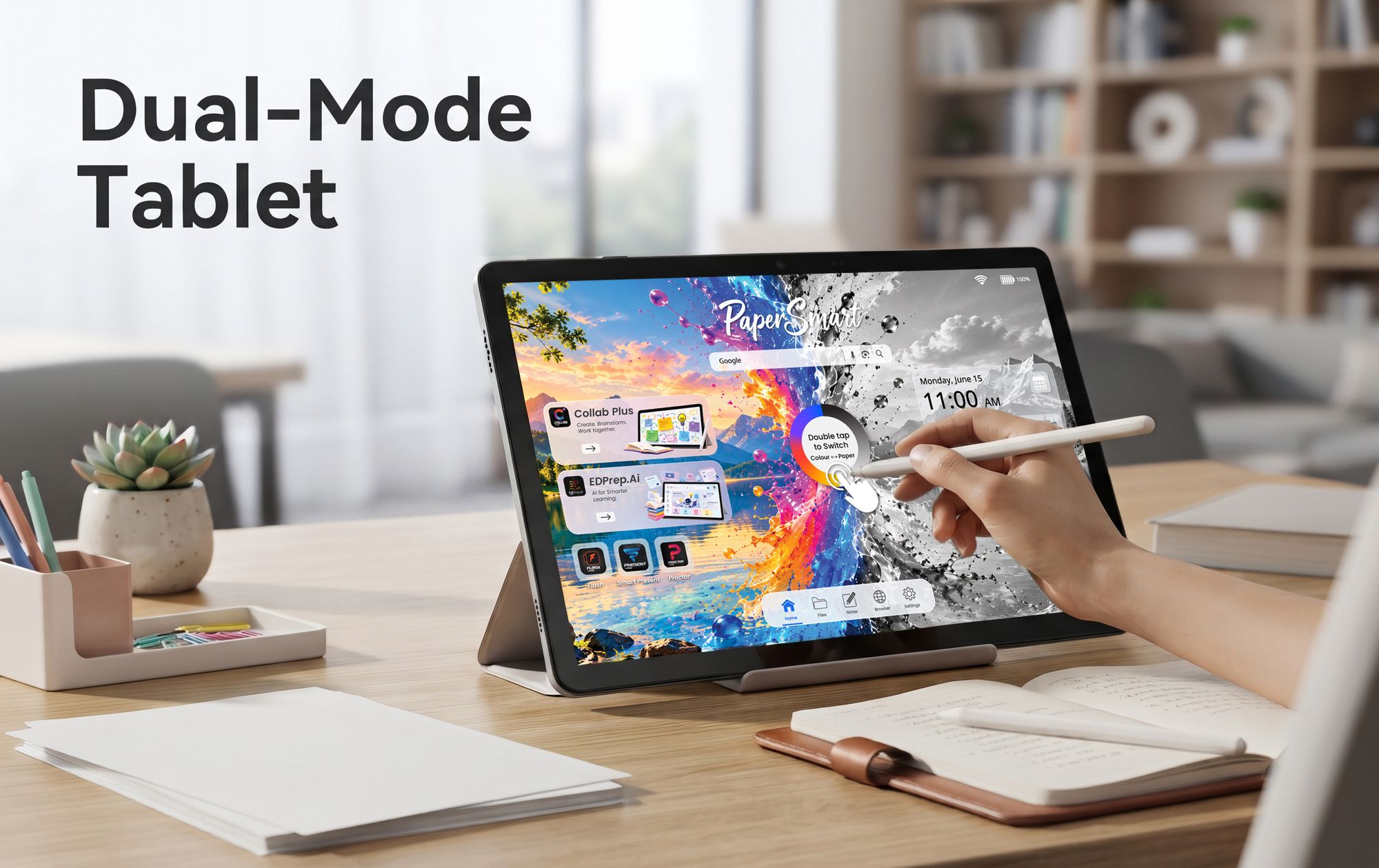
Dual-mode tablet technology allows users to switch between two display experiences based on their activities and preferences.
Instead of relying on a single display setting for every task, a dual-mode tablet offers greater flexibility by combining a paper-inspired reading environment with a vibrant, full-color digital display.
This approach is particularly relevant in education, where users regularly transition between reading study materials, writing notes, watching instructional videos, viewing diagrams, and interacting with digital applications.
With PaperSmart tablet by IMAGO, this experience is made possible through two dedicated display options:
- Paper Mode: A paper-inspired, matte, low-glare display experience designed for reading, writing, and focused study.
- Color Mode: A full-color digital display designed for multimedia content, interactive applications, presentations, and everyday digital activities.
Together, these two modes create a more versatile digital learning environment, allowing users to adapt their display experience to different tasks without switching devices.
1. Paper Mode: A Paper-Inspired Display for Reading and Focused Learning
Reading digital content is a fundamental part of modern education. Students review lecture notes, teachers prepare lesson materials, and professionals regularly work with lengthy documents and digital resources.
However, not every activity requires a vibrant, full-color display.
Paper Mode on PaperSmart provides a paper-inspired viewing experience with a matte, low-glare appearance and monochrome or soft-color visuals. It offers an alternative display environment for users who prefer a more understated visual experience when reading or writing.
This mode is particularly useful for:
- Digital Reading: Review e-books, PDFs, textbooks, and educational materials.
- Note-Taking: Write and organize handwritten notes using the Natural Active Pen.
- Document Review: Read and annotate digital documents.
- Focused Study: Work through learning materials in a simplified visual environment.
- Knowledge Organization: Highlight important information and organize study notes digitally.
By combining a paper-inspired display with digital functionality, Paper Mode allows users to maintain the convenience of a tablet while enjoying an alternative experience for reading and writing.
It brings together the familiarity of paper and the flexibility of digital learning in one device.
2. Color Mode: Experience Digital Learning in Full Color
While Paper Mode supports reading and writing activities, some learning experiences are better explored in full color.
Visual content plays an important role in education. From colorful diagrams and illustrations to instructional videos and interactive presentations, digital content often relies on color to communicate information and create engaging learning experiences.
This is where Color Mode on PaperSmart comes in.
Designed for a vibrant, full-color digital experience, Color Mode allows users to explore multimedia content, interact with applications, and access the wider capabilities of a modern Android tablet.
Users can switch to Color Mode for activities such as:
- Interactive Learning: Explore educational applications and digital learning platforms.
- Video-Based Lessons: Watch instructional videos, online classes, and multimedia content.
- Visual Exploration: View colorful diagrams, illustrations, charts, and presentations.
- Digital Creativity: Create, edit, and interact with digital content.
- Everyday Productivity: Browse online resources, communicate, and access productivity applications.
Whether students are exploring complex subjects through visual materials or educators are presenting interactive lessons, Color Mode provides the versatility needed to support different digital activities.
Rather than limiting users to a single display experience, PaperSmart gives them the freedom to choose how they interact with digital content.
3. Switch Between Paper Mode and Color Mode Without Interruptions
One of the key advantages of a dual-mode tablet is the ability to transition between different display experiences without interrupting the user's workflow.
With PaperSmart tablet, switching between Paper Mode and Color Mode is designed to be simple and convenient.
Users can switch modes through a dedicated button or a double tap, without restarting the device or manually changing applications. The display experience can also be adjusted according to individual application preferences.
For example, a student can:
- Open lecture notes in Paper Mode for a paper-inspired reading experience.
- Switch to Color Mode to watch an instructional video.
- Return to Paper Mode to annotate important information.
- Access other digital applications whenever needed.
This flexibility makes dual-mode technology particularly useful for students and educators who regularly move between different types of digital content.
Instead of adapting their workflow around the limitations of a single display setting, users can choose the experience that best suits their current activity.
4. More Than a Dual-Mode Display: Bringing AI Into Digital Learning
A modern educational tablet should offer more than just a convenient display. It should also help users interact with information, organize knowledge, and improve their learning workflows.
Beyond its dual-mode display technology, PaperSmart integrates AI-powered tools designed to support different stages of the learning process.
Users can transform existing learning materials, including PDFs, documents, notes, videos, and online links, into useful study resources.
These include:
- AI Summaries: Condense lengthy learning materials into more manageable information.
- AI-Generated Quizzes: Create practice questions to review and reinforce knowledge.
- Digital Flashcards: Organize key concepts and important information for revision.
- Mind Maps and Diagrams: Visualize relationships between topics and organize ideas.
- Handwriting-to-Text: Convert handwritten notes into editable digital text.
- Translation and Transcription: Work with different languages and convert spoken content into text.
These capabilities help bridge the gap between accessing information and actively working with it.
Combined with PaperSmart's dual-mode display, AI-powered learning tools provide users with a more flexible environment for reading, understanding, creating, and organizing digital content.
Why Dual-Mode Technology Matters for the Future of Digital Education
As digital education continues to evolve, the expectations of students and educators are changing. Learning is no longer limited to reading textbooks or attending classroom lectures. It involves accessing online resources, watching educational videos, collaborating on digital projects, creating content, and using intelligent tools to support learning. This means educational devices need to accommodate different learning activities rather than focus on just one function.
A dual-mode educational tablet offers an approach that brings together:
Flexibility: Switch between a paper-inspired reading experience and a full-color digital environment.
Convenience: Access digital textbooks, handwritten notes, multimedia content, and applications on one device.
Productivity: Combine reading, writing, content creation, and AI-powered tools within a connected learning environment.
Adaptability: Choose a display experience that suits different activities and individual preferences.
Ultimately, the future of digital learning is not simply about adding more technology. It is about making technology more adaptable to the way people learn, work, and interact with information.
Experience the Best of Both Worlds With PaperSmart tablet
The evolution of digital learning does not mean leaving traditional learning experiences behind. Instead, it presents an opportunity to combine what users value about traditional paper with the convenience and capabilities of modern digital technology.
With its dual-mode display, IMAGO PaperSmart tablet brings together Paper Mode for a paper-inspired reading experience and Color Mode for vibrant digital interaction. Supported by AI-powered learning tools and productivity capabilities, it offers a versatile approach to modern digital learning. For students, educators, and professionals who appreciate the convenience of digital technology but still value the familiarity of paper, having both experiences in one device opens up new possibilities.
Why choose between paper and digital when you can experience both?
Discover https://imago.us/paper-smart-tablet/ and explore a more flexible way to read, write, learn, and create.