More Than a Tablet: Why Education Tablets Are Essential for Modern Learning
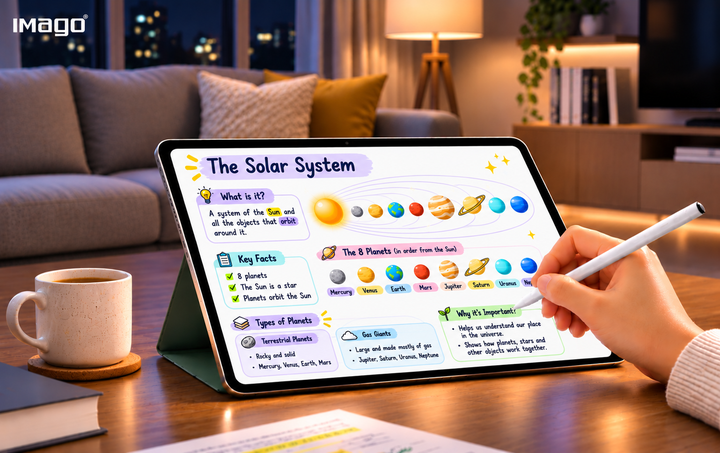
Learning is evolving, and so are the tools that support it. Discover how educational tablets are creating new possibilities for students, teachers, and modern classrooms.
Imagine a classroom where students can explore interactive lessons, take handwritten digital notes, access personalized study materials and collaborate on projects, all from one device. Meanwhile, teachers can prepare learning resources, facilitate classroom activities and support students through a more connected digital environment.
This is the growing potential of education tablets.
As schools embrace digital transformation, education tablets are becoming valuable tools for creating more engaging, flexible, and connected learning experiences. By bringing together educational resources, digital writing, AI-powered assistance, and collaboration tools, they offer new ways for students to explore knowledge and for teachers to bring lessons to life.
But what makes an education tablet valuable in today's learning environment?
It comes down to how effectively it supports the different needs of education, from everyday classroom activities to independent study and institutional device management.
Let's explore seven ways education tablets are shaping the future of learning.
1. Creating More Engaging Learning Experiences
Every student learns differently. Some understand concepts better through visual explanations, while others benefit from reading, writing, interactive activities or hands-on exploration. Education tablets create opportunities to accommodate these different learning approaches.
Through digital textbooks, educational applications, interactive diagrams, instructional videos and multimedia resources, students can engage with subjects in more dynamic ways. For example, a biology lesson can become more engaging through visual diagrams and educational videos that help students understand complex processes. Mathematics concepts can be explored through interactive exercises, while language lessons can incorporate audio and multimedia activities.
By bringing different learning resources together, education tablets allow students to interact with educational content beyond traditional reading materials. The result is an environment where learning becomes more engaging, exploratory and accessible.
2. Bringing Reading and Handwriting Together
Reading and writing remain essential parts of the learning process.
Even as educational materials become increasingly digital, students still need opportunities to read comfortably, write notes, annotate documents and organize their thoughts. This is where features such as digital pen support and dual-mode display technology become valuable.
Education tablets with stylus capabilities allow students to write directly on digital documents, highlight important information, sketch diagrams and organize handwritten notes. Some also incorporate paper-like display modes, offering an alternative reading experience for studying, reviewing documents and taking notes.
3. Making Learning Smarter with AI-Powered Tools
With AI-powered capabilities integrated into education tablets, students can interact with their learning materials in new and meaningful ways.
Imagine uploading a lengthy study document and transforming it into a concise summary, flashcards or practice questions. Instead of spending all their time organizing information, students can dedicate more attention to understanding and reviewing what they have learned.
Depending on the available tools, AI-powered education tablets like IMAGO PaperSmart can support:
- Smart summaries: Simplifying lengthy documents into key points for easier revision.
- AI-generated quizzes: Creating practice questions to reinforce understanding.
- Flashcards: Turning important information into convenient revision materials.
- Mind maps: Organizing ideas and visualizing connections between concepts.
- Learning assistance: Helping students explore topics and revisit challenging subjects.
For teachers, AI can also support the preparation of learning materials, classroom activities and assessments. These capabilities do not replace educators or independent thinking. Instead, they provide additional resources that can support more personalized and efficient learning experiences.
4. Encouraging Collaboration and Creative Thinking
Learning is not just about absorbing information. It is also about exchanging ideas, asking questions and discovering solutions together. Education tablets can support collaborative learning through digital whiteboards, shared workspaces, document annotation and real-time collaboration tools.
Students can brainstorm ideas, contribute to group assignments, organise research and develop presentations together. Teachers can also use collaborative tools to encourage classroom participation, facilitate discussions and create interactive learning activities.
These experiences help students develop valuable skills such as:
- Communication and teamwork.
- Creative thinking and idea development.
- Critical thinking and problem-solving.
- Digital literacy and collaboration.
5. Supporting Teachers in the Classroom
Teachers play an essential role in shaping the learning experience. Education tablets can provide them with additional tools to make lesson preparation, classroom delivery and student engagement more manageable.
With access to digital teaching resources, educators can prepare presentations, annotate learning materials, share documents and facilitate classroom activities. AI-powered tools can also assist with preparing summaries, generating practice questions and organizing educational content. Beyond teaching activities, certain education tablets offer productivity features that support the management of lessons, discussions and important information. For example, recording and transcription capabilities can help capture lessons, briefings and discussions for future reference. By bringing teaching resources and productivity tools together, education tablets can help educators explore new approaches to classroom instruction while supporting their everyday responsibilities.
6. Creating a More Connected and Manageable School Environment
Introducing technology across an educational institution involves more than providing devices to students and teachers. Schools also need effective ways to manage devices, maintain security and support consistent digital learning environments.
This makes device management an important consideration when selecting educational tablets for institutional use. Features such as centralized device enrolment, remote configuration, application management, software updates and security policies can help IT administrators manage devices across multiple classrooms or campuses. For example, administrators can remotely apply device settings, distribute updates and manage access according to institutional requirements.
7. Supporting Different Learning Needs with Greater Flexibility
A meaningful learning experience should accommodate different activities, subjects and learning environments. Students may spend one part of the day reading educational materials, another taking handwritten notes and another completing interactive exercises.
Education tablets with versatile learning features can support these different activities within one connected experience.
For example, students can:
- Read digital textbooks and reference materials.
- Write and organize notes using a digital pen.
- Review learning materials in a paper-like display mode.
- Access AI-powered revision tools.
- Participate in collaborative classroom activities.
- Complete digital assessments and assignments.
This flexibility allows students to move between learning activities more conveniently while keeping their educational resources accessible. For schools, choosing an education tablet that supports a broad range of teaching and learning needs can also help create a more consistent digital learning experience.
Shaping the Next Chapter of Education
Education continues to evolve, and the tools that support teaching and learning must evolve alongside it. Whether students are reading, revising, taking notes, or exploring new concepts, an educational tablet like PaperSmart provides a versatile learning experience that supports different educational activities. More than just a learning device, PaperSmart is designed to empower students, support educators, and open up new possibilities for modern education.
Discover PaperSmart and explore the future of connected learning: https://imago.us/paper-smart-tablet/