The Best Visual Collaboration Workspace tool for Modern Teams
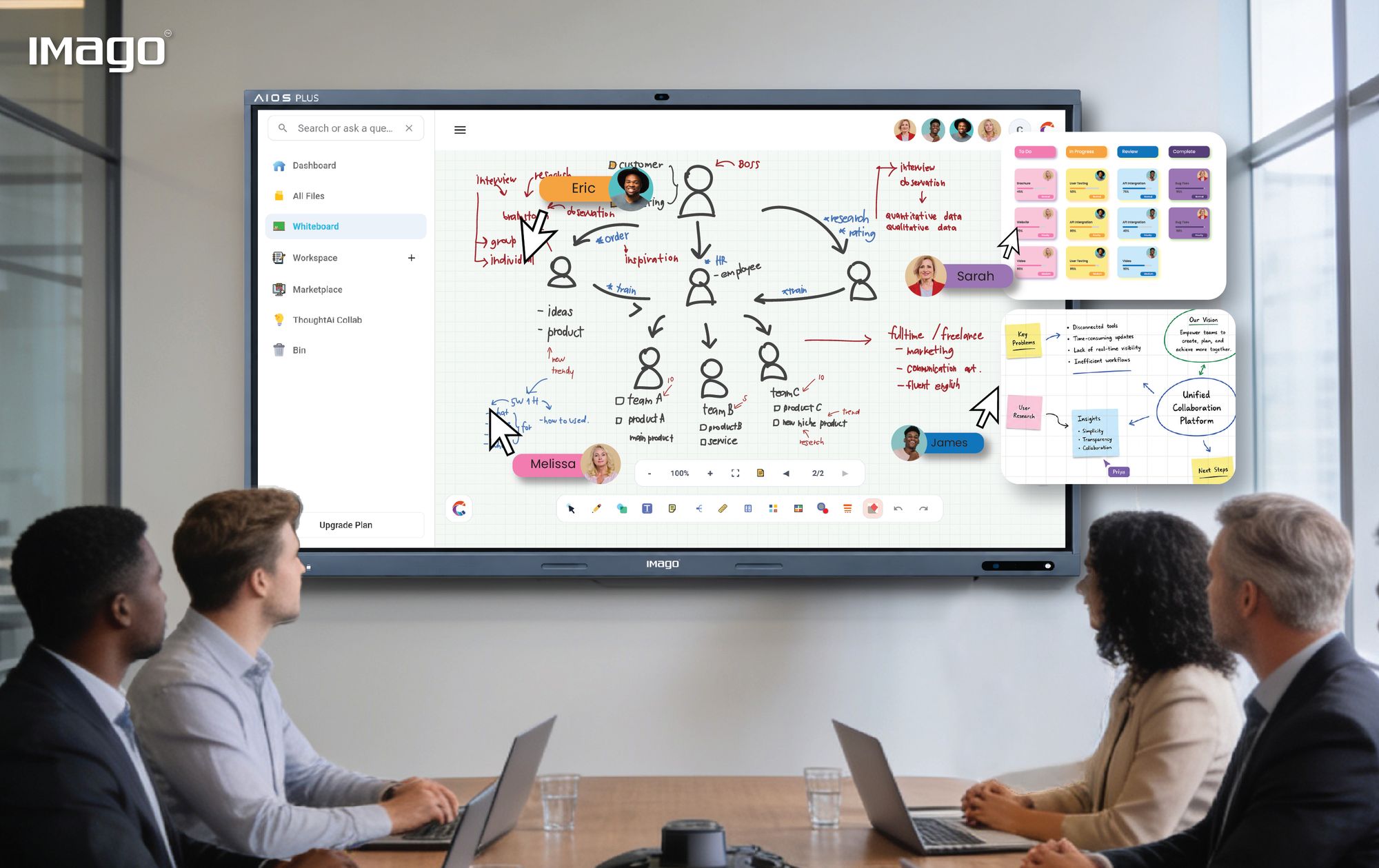
In today's fast-paced work environment, effective collaboration is more critical than ever. Teams across industries rely on visual collaboration tools to streamline communication, boost productivity, and foster creativity. Visual collaboration leverages graphical elements to make complex ideas easier to understand and manage. Here, we explore the main types of visual collaboration tools and their defining features, helping organizations select the best options for their unique needs.
Flowcharts: Mapping Clarity and Process Efficiency
Flowcharts serve as one of the most powerful visual tools to represent a process or system in a clear, step-by-step manner. By breaking down complex workflows into manageable, visual components, flowcharts allow teams to comprehend how tasks and decisions flow within an operation. This heightened clarity helps reduce errors, streamline processes, and improve communication across different departments.
Flowcharts also play a critical role in process optimization. When teams map out their workflows visually, they can identify redundancies, bottlenecks, or unnecessary steps that slow down productivity. This insight enables managers to redesign processes for greater efficiency and effectiveness.
Moreover, flowcharts are invaluable training aids. New hires can grasp detailed procedures quickly by visually following the steps, reducing the learning curve and minimizing mistakes. They also act as standardized documentation, ensuring that workflow changes and updates are consistently shared and understood across the organization.
Collaborative Documents: Beyond Basic Text Sharing
Collaborative document platforms have evolved far beyond simple word processors. These tools allow multiple team members to work on the same document at the same time, making collaboration faster and more dynamic than ever before. Whether drafting reports, creating project plans, or capturing meeting notes, collaborative documents centralize efforts and reduce the chaos of multiple versions floating around.
Collaborative Boards: Visual Task and Responsibility Management
Collaborative boards revolutionize how teams organize, assign, and track their work. Taking inspiration from physical Kanban boards, these digital versions provide a visual overview of tasks through cards or sticky notes that can be moved across customizable columns representing different stages of progress.
A key benefit of collaborative boards is the transparency they provide. Assigning tasks with visible ownership means everyone knows who is responsible for what, reducing confusion and overlap. This visibility fosters accountability and motivates team members to complete their work on time.
The boards are highly customizable—teams can create columns such as To Do, In Progress, Review, and Done or tailor them to specific workflows like sprint planning or client onboarding. Color-coding, labels, and tags help prioritize tasks visually, making it easy to spot high-priority items or categorize work by type or department.
Online Whiteboards: The Digital Canvas for Creativity
Online whiteboards bring the spontaneity and creativity of physical brainstorming sessions into the digital realm, making them indispensable for remote and hybrid teams. These virtual canvases allow participants to draw, write, and place sticky notes freely, fostering a dynamic and interactive environment that encourages idea generation and problem-solving.
Unlike static documents or boards, online whiteboards support freeform collaboration, where ideas can be sketched, connected, and refined in real time. The ability to import images, diagrams, videos, and other multimedia enriches the discussion, making abstract concepts more tangible. Integration with video conferencing tools enhances the experience by allowing teams to discuss and visualize ideas simultaneously without switching between apps.
Beyond the Basics: Other Valuable Features of Visual Collaboration Platforms
To truly empower teams, visual collaboration tools come packed with features that go beyond their core functions:
Real-Time Collaboration: This is the backbone of effective teamwork, allowing multiple users to edit, comment, and interact simultaneously, ensuring that ideas evolve organically and decisions are made swiftly.
Version History: Keeping a detailed log of changes provides peace of mind, accountability, and the ability to track the evolution of work or revert to previous versions if mistakes occur.
Integration Capabilities: Seamless connections with widely used productivity tools like Google Workspace.
Access Control & Permissions: Control over who can view, edit, or comment on content protects sensitive information and ensures compliance with organizational policies.
Templates: Ready-to-use templates speed up the setup of meetings, projects, or brainstorming sessions and promote consistency across teams.
Mobile Access: With work happening everywhere, mobile apps enable team members to contribute, review, or update content on the go, keeping projects moving forward.
How to Choose the Right Visual Collaboration Tool for Your Team
Choosing the best visual collaboration platform requires a thoughtful approach. Start by analyzing your team’s specific needs, workflows, and challenges:
- Team Size and Structure: Larger or cross-functional teams often need more robust permission settings and user management, while smaller teams may prioritize ease of use and quick setup.
- Type of Work: Creative teams might value freeform whiteboards and brainstorming tools, whereas operational teams might prioritize structured flowcharts and task boards.
- Integration Needs: Ensure the tool integrates smoothly with your existing software ecosystem to avoid disrupting established workflows.
- User Experience: An intuitive interface reduces training time and encourages adoption, which is crucial for collaboration success.
- Budget Considerations: Evaluate not only the upfront cost but also ongoing fees, potential add-ons, and the value gained through increased productivity.
- Support and Training Resources: Reliable customer support, tutorials, and community forums can help teams quickly resolve issues and maximize the tool’s potential.
Conclusion
Visual collaboration tools are much more than digital whiteboards or task lists; they are enablers of innovation, transparency, and collective intelligence. By leveraging a combination of flowcharts, documents, boards, and online whiteboards—each with its unique strengths—teams can communicate complex ideas clearly, track responsibilities transparently, and co-create solutions effectively.
One powerful platform to explore for comprehensive visual collaboration is IMAGO solutions, which provides a robust environment integrating many of these features to help teams work smarter and more cohesively.
Embrace visual collaboration today and transform the way your team works together for a more connected, inspired future with solutions like IMAGO leading the way.