Are all-in-one workspace tools better for hybrid teams?
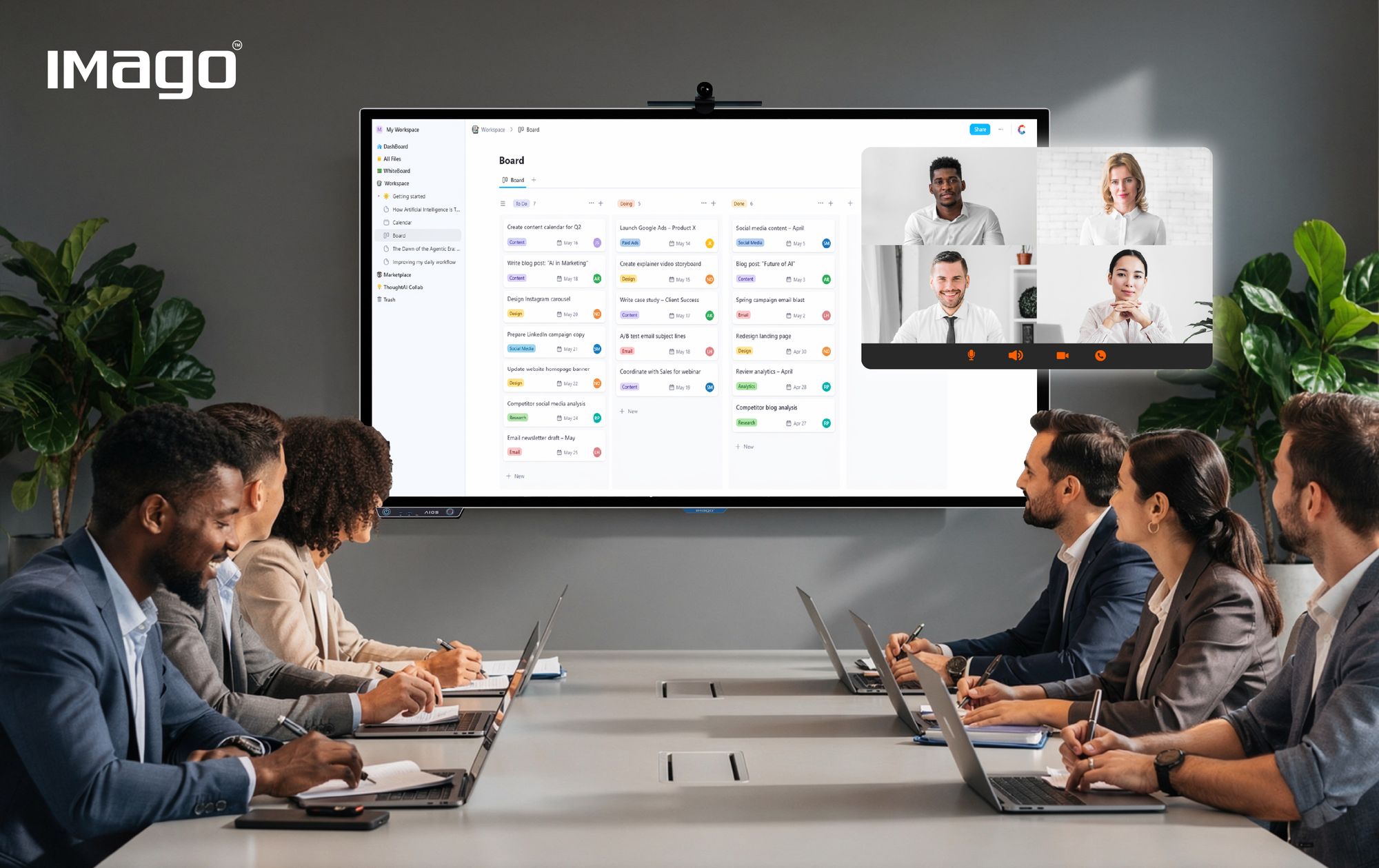
As the workplace landscape rapidly shifts, more organizations are embracing hybrid and remote work models. This transition offers employees flexibility and freedom from the traditional office environment while maintaining productivity and collaboration. Instead of reverting to traditional office-centric approaches, the emphasis should be on adopting innovative all-in-one workspace tools that empower teams to work smarter, together, no matter where they are.
Why Hybrid Work Thrives with All-in-One Workspace Tools
Hybrid work is here to stay, and the right digital workspace can be the backbone of a successful hybrid team. Here’s why these tools are indispensable:
Unified Communication and Collaboration
Say goodbye to scattered emails, messaging apps, and disconnected video calls. With all-in-one tools, communication happens directly within the workspace, keeping conversations contextual and easily accessible. Integrated digital whiteboards like IMAGO COLLAB provide an interactive space for brainstorming and visual collaboration, while built-in integrations with Google Meet and Flash enable seamless video conferencing without leaving the platform. This real-time connectivity bridges the gap between remote and in-office team members, fostering inclusivity and engagement.
AI-Powered Assistance Within Documents
Next-level productivity comes from AI embedded right into your workspace. Whether you need to generate fresh content ideas, convert text to images for presentations, or summarize lengthy reports, AI is your on-demand assistant. This smart support boosts creativity, accelerates research, and even helps clarify complex information. No more staring at blank screens or getting bogged down in tedious tasks—just prompt the AI and get instant results.
Intelligent Note-Taking and Smart Linking
Taking notes has never been smarter. The block-based editor allows users to capture ideas, action items, and meeting summaries directly within the workspace. What’s more, Smart Links connect your documents to spreadsheets, videos, online articles, and other resources, creating a living document that evolves with your work. This integration eliminates constant tab switching, keeping focus sharp and workflows smooth.
Real-Time Project Management with Smart Boards
The IMAGO Collab All-in-One Project Management board is designed for dynamic hybrid teams. Plan, assign, and track tasks in real time with a centralized board that offers crystal-clear visibility into project progress. Instantly know who’s responsible for each task, which items are delayed, and what’s coming next. This shared transparency keeps teams aligned, reduces redundancy, and ensures deadlines are consistently met.
Comprehensive Dashboards for Instant Oversight
Managers and team members alike benefit from customizable dashboards that provide a snapshot of project health, workload distribution, and team productivity. These dashboards empower proactive decision-making, helping teams anticipate challenges before they become bottlenecks. Everyone stays informed and empowered, no matter where they work.
Integrated Google Hub for Seamless Resource Access
Hybrid work requires quick access to resources. The built-in Google Hub allows users to save documents directly to Google Drive and search Google Images right from the workspace whiteboard. This integration streamlines content discovery and management, freeing teams to focus on creativity and execution rather than hunting for files.
Powerful Document Summarization and Visual Tools
Long documents and dense articles can be overwhelming. AI-powered summarization condenses essential points, helping teams absorb key insights faster. Additionally, flowchart and diagram tools enable visual representation of processes and ideas, making complex information easier to understand and share across team members.
Robust Security and Access Controls
Security is paramount when working across distributed teams. Enterprise-grade encryption, role-based access controls, and audit logs protect sensitive information and ensure compliance with data privacy regulations. Teams can collaborate freely without worrying about unauthorized access or data breaches.
What hybrid teams actually need today
Instead of asking “how many tools should we use?”, the better question is:
“How do we keep work connected across people, tools, and locations?”
Hybrid teams typically need:
- a central workspace for information
- real-time collaboration capabilities
- structured documentation
- easy search and retrieval
- visibility across teams
Whether this comes from one platform or a connected system is less important than the structure behind it.
So… are all-in-one workspace tools better?
The answer is: it depends on how your team works.
They are better when:
- your team struggles with tool overload
- information is scattered across platforms
- collaboration feels fragmented
- alignment between remote and office teams is inconsistent
They are not necessary when:
- your team already has a highly optimized workflow
- specialized tools are critical to your operations
- your current system is already well integrated
The balanced truth:
All-in-one workspace tools are not about replacing every tool. They are about reducing fragmentation and creating a more connected way of working.
Final thoughts
Hybrid work is not just a location shift—it’s a coordination challenge.
The more tools a team adds without structure, the harder it becomes to stay aligned. But the solution isn’t always fewer tools—it’s better-connected work systems.
In many cases, all-in-one workspace tools help solve that problem. In others, the answer lies in how well your tools are integrated and structured.
If you’re exploring a more structured way to collaborate and manage work in one place, check out IMAGO Collab.
FAQ
Are all-in-one workspace tools good for remote teams?
Yes, they can improve visibility and reduce fragmentation, especially when teams are distributed across locations.
Do hybrid teams need multiple tools?
Not necessarily. Many teams benefit more from fewer, better-connected systems rather than many disconnected tools.