The Ultimate Guide to Choosing an All-In-One Workspace Tool in 2026
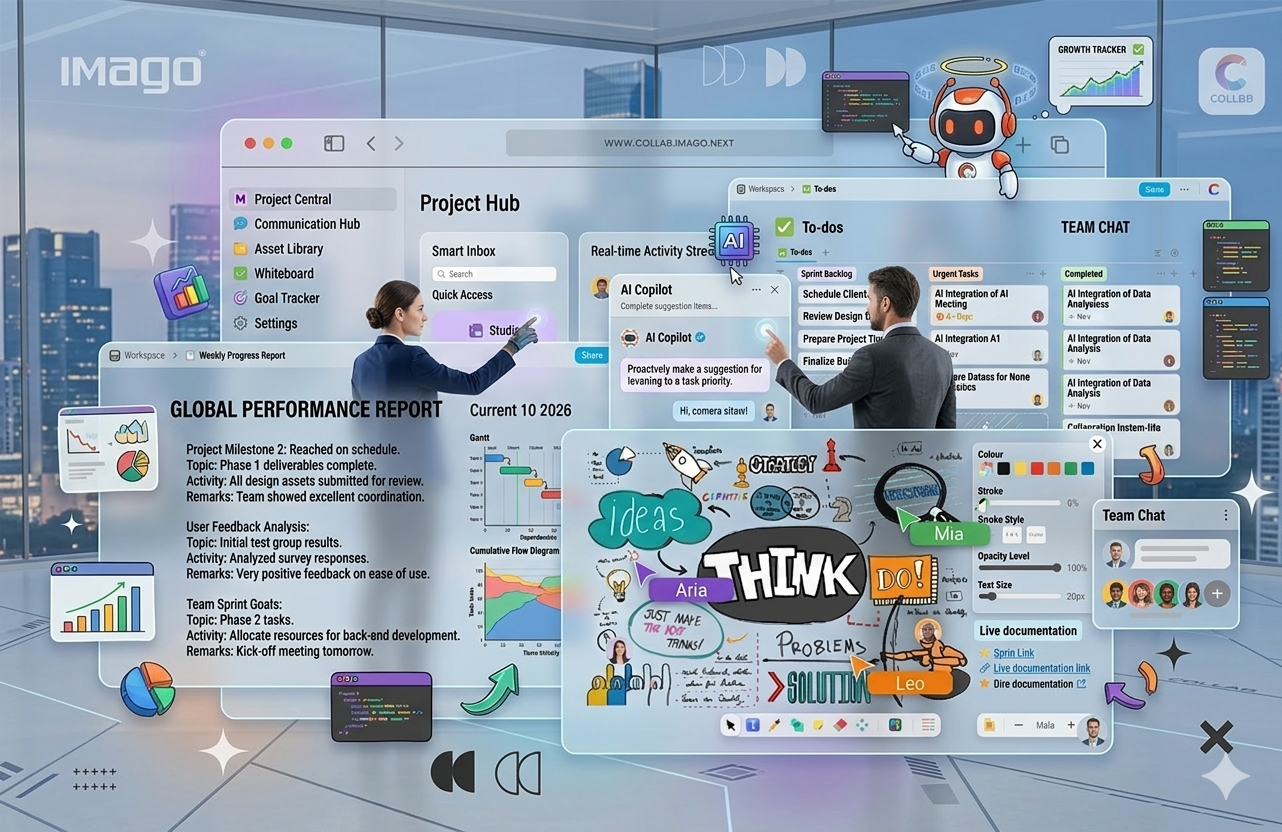
In today’s fast-moving business environment, many teams are still operating across a fragmented system of tools: documents in one platform, project tracking in another, communication elsewhere, and AI tools scattered across different applications. While this setup may seem manageable at first, it often leads to inefficiencies, higher costs, and a constant loss of momentum.
In 2026, forward-thinking businesses are shifting away from this model. Instead of asking which tools to add next, they are focusing on how to unify everything into one intelligent, streamlined workspace. The goal is simple: reduce complexity, improve productivity, and create a system that supports growth rather than slowing it down.
In this guide, we'll walk you through exactly what to look for when choosing an all-in-one workspace, which questions to ask before committing, and how to avoid the most common mistakes teams make when switching.
What exactly is an All-In-One workspace?
An All-In-One workspace is a single platform that consolidates the tools your team uses daily into one unified environment. This means your documents, tasks, timelines, communication, and insights are no longer separated. Instead, they work together seamlessly, supported by built-in intelligence and real-time collaboration. The result is a more structured, efficient way of working that eliminates unnecessary friction and enables teams to focus on what truly matters.
Features to Look for when choosing an All-In-One Workspace:
🤖 AI-Powered Productivity
AI is now a core component of modern workspaces. The best platforms integrate AI across workflows not just as a standalone feature. This includes the ability to generate content, summarize documents, automate repetitive tasks, and extract key insights instantly. By embedding AI into daily operations, businesses can significantly reduce manual workload and improve decision-making speed.
🧩 Collaborative Block-Based Document System
Traditional documents are static and limiting. A block-based editor transforms documents into dynamic workspaces where teams can build, organize, and collaborate in real time. This approach allows users to structure content more effectively, making it easier to manage knowledge, workflows, and documentation within one system.
📊 The Power of Centralization
One of the most immediate advantages of adopting an all-in-one workspace is centralization. Instead of navigating through multiple platforms to find what you need, everything is accessible from a single, unified dashboard.
This central view provides instant visibility into ongoing projects, active documents, team updates, and priorities. It allows decision-makers to stay informed without constantly chasing information, while team members can focus on execution rather than searching for resources. Over time, this leads to better alignment, improved efficiency, and a stronger overall workflow structure.
📅 A Smarter Approach to Time and Planning
Time management within modern teams goes far beyond simple scheduling. A smart, collaborative calendar plays a critical role in aligning tasks, deadlines, and team activities within one cohesive system.
When calendars are integrated directly into the workspace, they evolve from passive tools into active workflow drivers. Teams can visualize timelines, manage deadlines more effectively, and collaborate around shared schedules without disconnecting from their work. This reduces missed deadlines, improves coordination, and ensures that everyone is working toward the same goals.
📊 Integrated Project Management
A major advantage of an all-in-one workspace is having project management fully embedded into the platform. Instead of managing tasks in separate tools, teams can plan, assign, track, and update progress in real time — all within the same environment where work is being created.
🔗 Integrations & Ecosystem Compatibility
Even with an all-in-one workspace, integrations remain important. The ability to connect with tools like Google Workspace and digital whiteboards ensures a seamless transition and enhances collaboration. A strong ecosystem allows businesses to maintain flexibility while still benefiting from centralization.
📈 Built for Growth and Scalability
As businesses grow, their operational needs become more complex. A workspace that works for a small team may not be sufficient at scale. This is why flexibility and scalability are essential when choosing the right platform.
An effective all-in-one workspace adapts to different team sizes, supports customizable workflows, and provides the structure needed to manage multiple projects and departments simultaneously. It becomes a long-term solution rather than a temporary fix, allowing businesses to scale without constantly changing tools.
🏢 Security, Compliance, and Reliability
For enterprise-grade operations, security cannot be an afterthought. The workspace should provide encrypted storage, secure cloud infrastructure, compliance with relevant regulations, and reliable uptime. Protecting sensitive business information and maintaining operational continuity is critical for reputation and trust.
📈 Analytics and Insights
An advanced workspace should provide actionable insights about team productivity, project timelines, and task completion rates. Analytics help leaders identify bottlenecks, monitor performance, and optimize workflows over time. This data-driven approach ensures that the organization continually improves, maximizing both efficiency and output.
Common mistakes teams make when switching
Even when teams pick the right tool, the transition often stumbles. Here's what to watch out for:
Migrating everything at once
Trying to move all your existing docs, tasks, and processes in a single weekend almost always fails. Start with one team or one project. Get comfortable, then expand.
Skipping the structure conversation
A blank workspace is just a blank canvas — it gets messy fast without agreed naming conventions, folder structures, and page hierarchies. Before you migrate anything, decide how things will be organised.
Treating it like the old tool
The biggest mistake is replicating your old fragmented setup inside the new platform. A block-based editor isn't just a fancier Google Doc — it's a different way of thinking about information. Give your team time to explore and build new habits.
Questions to ask before you commit
Before signing up for any platform, put it through this short checklist:
• Can your whole team actually use it? A tool that only your most tech-savvy colleagues enjoy isn't an all-in-one workspace — it's a productivity island. Look for platforms with clean, intuitive interfaces that don't require training.
• Is the AI genuinely useful or just a feature checkbox? Test it with real tasks: summarize a long doc, generate a project brief, draft a client update.
• Does it handle your content structure? Some tools are great for free-form docs, but weak on structured data like databases and tables. Others are the opposite. Make sure the platform matches how your team actually organises information.
• What happens when you need to leave? Can you export your data in a usable format?
• How does pricing scale? Many platforms are cheap at five users and expensive at fifty. Calculate the real cost at your expected team size, not just the per-seat starter price.
What the best all-in-one workspaces have in common
After surveying the landscape, the platforms that teams stick with long-term share a few traits:
• They're fast. Nobody tolerates a slow workspace. If it takes three seconds to open a doc, people will go back to their old tools.
• They make collaboration feel natural. Real-time editing, inline comments, and shared views shouldn't feel like features — they should feel invisible.
• They grow with you. The workspace that works for a 5-person startup should still work (and scale) for a 100-person company.
• The AI actually saves time. Not just generates text — it helps surface information, automates repetitive tasks, and genuinely reduces the work you have to do manually.
Where does IMAGO Collab fit in?
If you're exploring your options, IMAGO Collab is worth a look. Built as a genuinely all-in-one ecosystem, it brings together a block-based editor, AI-powered tools, project management, and real-time collaboration in a single platform. IMAGO Collab helps businesses streamline workflows, boost team productivity, and foster real-time collaboration, all within a single platform.
✔ Collaborative Documents: Block-based editor with built-in AI that assists as you write, generate content, summarize information, and translate instantly. Smart linking lets you embed and connect content (YouTube, Google Sheets, articles) — turning documents into fully connected workspaces.
✔ Smart Project Management Board: Plan tasks, assign responsibilities, track progress, and collaborate in real time within one centralized environment — ensuring full visibility and accountability.
✔ Centralized Dashboard: One unified view of all documents, projects, and updates, giving teams and leaders complete control and clarity without switching tools.
✔ Smart Calendar & Planning: More than scheduling — manage timelines, deadlines, and team activities while leveraging AI to summarize events, highlight key updates, and keep everyone aligned.
✔ Integrations & Ecosystem: Seamless compatibility with Google Workspace and other collaboration tools, enabling teams to work within a connected ecosystem without disruption.
✔ Enterprise-Grade Security & Access Control: Secure authentication (SSO), role-based permissions, and controlled data access to ensure security, compliance, and proper governance.
✔ Reliability & Performance: Built for stability with consistent uptime, supporting uninterrupted workflows for teams and organizations.
✔ Scalable for Growth: Designed to support growing teams, multiple departments, and evolving workflows — making it a long-term solution for modern businesses
Final thoughts
Choosing an all-in-one workspace is one of the highest-leverage decisions a team can make in 2026. Get it right and you'll spend less time managing tools and more time doing the work that actually matters.
The key is to resist the temptation of feature lists and focus on what your team will actually use every day. Start small, get feedback, and build from there.
The best workspace isn't the most powerful one — it's the one that makes your team's daily work a little clearer, a little faster, and a lot less fragmented.
👉 Explore IMAGO’s workspace today:
https://collab.imago.buzz/home